

Download the Android app
Download our Android app directly from us. Then open the installation file on your smartphone and start the installation.

Take Fugu with you.
Play at Fugu wherever you are with our Android app or straight from your mobile browser. On iPhone and iPad, you play in your browser. You can use your existing account on any device.
Download our Android app directly from us. Then open the installation file on your smartphone and start the installation.
On your iPhone or iPad, you can play directly in Safari or another browser. Sign in with your existing Fugu account without installing an app. The file on our download page is for Android only.
Android may ask you to allow installation of a file downloaded through your browser. Grant this permission to the browser you used to download the file.

Download the installation file to your smartphone from our Android download page. Then open the downloaded file.
If your smartphone blocks the installation, open the settings for the browser you used. There, you can enable “Allow from this source”. The wording may vary by device.
Once installation is complete, open the Fugu Casino app. Sign in with your existing account or register if you do not have one yet.
This permission applies to the selected browser. You can disable it again in your Android settings after installing the app. If you would rather not install a file, you can play directly in your mobile browser.
You do not need separate accounts for the app and browser. Your balance and bonuses stay linked to your Fugu account, even when you switch from your computer to your smartphone.
Sign in with your email address and password. If you created your account using Google or Telegram, use the same sign-in method. For help with a forgotten password or locked account, visit Login.

You can enjoy slots such as Le Fugu, Le Bandit and Fugu Bonanza on the go. We also offer crash games and live casino games with real dealers. Browse the casino's game selection straight from your smartphone.
The terms of each promotion still apply to your bonuses in the app. You can find our deposit tiers, free spins and wagering requirements under Bonuses.
 Le Fugu
 Le Bandit
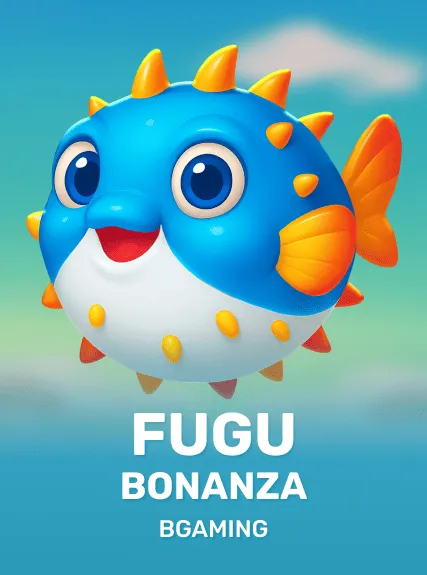 Fugu Bonanza
If installation fails or the app will not launch, you can still access our casino in your mobile browser. Our support team is available around the clock via live chat under “Help”.
Android may initially block the installation of downloaded files. Grant installation permission to the browser you used to download the file.
An Android installation file will not work on an iPhone or iPad. On Android, downloading it again may help if the original download was incomplete.
Try restarting the app or your smartphone. If the problem persists, tell our support team which device you use and what error message you see. You can use your browser in the meantime.
Use the same login details or the same Google or Telegram account you registered with. If you have forgotten your password, use the password recovery option.
For account-related enquiries, our support team may ask for the email address you used to register. Never share your password or one-time codes.
You can get the Android app from our Android download page. Download the installation file to your smartphone there. On iPhone and iPad, you play directly in your browser.
Yes. You can play directly in your browser on iPhone and iPad and sign in with your existing Fugu account. There is no need to install an app.
No. An APK is an installation file for Android apps and does not work on iOS. On your iPhone or iPad, you can play directly in your browser without downloading an APK.
No. You can access our casino directly through your browser on Android, iPhone and iPad. On Android, you can choose to install our app instead. Your existing account works with both options.
Android may block the installation of a downloaded file. To install it, you can grant your browser the “Allow from this source” permission. You can turn this off again after installation.
Yes. You use the same Fugu account in the app and browser. Your balance and bonuses remain linked to that account. The eligibility and wagering requirements of each promotion still apply to your bonuses.
Use your existing email address and password or the Google or Telegram sign-in method you used when registering. You do not need a new account. If you have trouble signing in, visit our Login section.